电脑使用一段时间后,垃圾文件就会变多,下面给出的是清理垃圾文件的方法! 1、新建一个txt文本文件;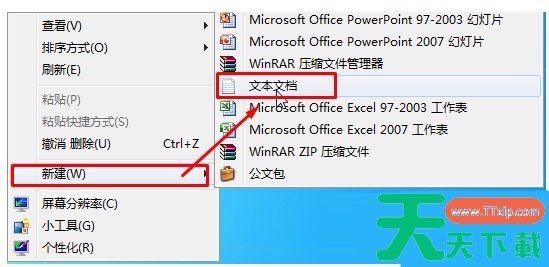
2、打开文本文件,输入以下内容: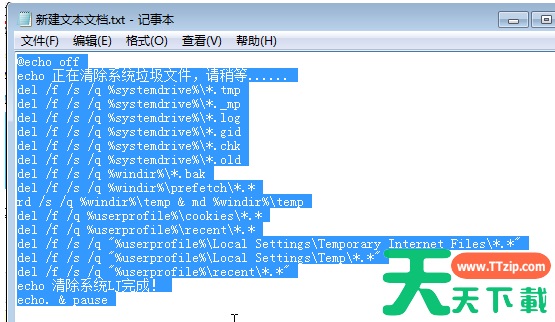
@echo off
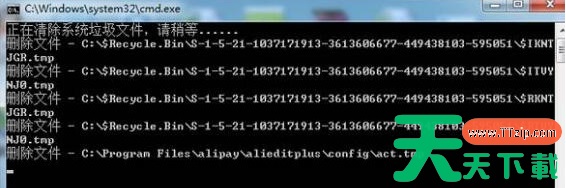
echo 正在清除系统垃圾文件,请稍等......
del /f /s /q %systemdrive%*.tmp
del /f /s /q %systemdrive%*._mp
del /f /s /q %systemdrive%*.log
del /f /s /q %systemdrive%*.gid
del /f /s /q %systemdrive%*.chk
del /f /s /q %systemdrive%*.old
del /f /s /q %windir%*.bak
del /f /s /q %windir%prefetch*.*
rd /s /q %windir%emp & md %windir%emp
del /f /q %userprofile%cookies*.*
del /f /q %userprofile%ecent*.*
del /f /s /q "%userprofile%Local SettingsTemporary Internet Files*.*"
del /f /s /q "%userprofile%Local SettingsTemp*.*"
del /f /s /q "%userprofile%ecent*.*"
echo 清除系统LJ完成!
echo. & pause
3、点击“文件”--“文件另存为”,文件名的结尾从txt改为bat,保存类型选择“所有文件”;
右键保存出来的bat文件,以管理员身份运行即可。