天天下载 更新快、资源全,发现更多实用工具,就上天天下载!

axure rp怎么设置背景?axure rp设置背景的技巧

更新时间: 2025-07-25 20:49 分类: 其他教程 人气: (39) 0个评论

axure rp是一款非常实用的原型设计的软件,在axure rp中设置背景是原型设计的基础操作之一,用户可以根据自己的需求为原型设计添加合适的背景,通过添加背景可以显著提升原型的可视化效果、沟通效率和开发还原度。那么,axure rp软件要怎么设置背景呢?

axure rp怎么设置背景?axure rp设置背景的技巧

axure rp怎么设置背景axure rp设置背景的方法

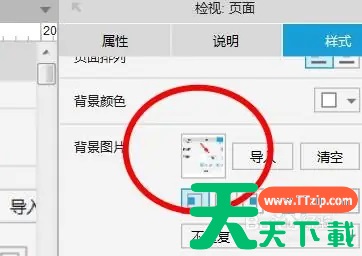
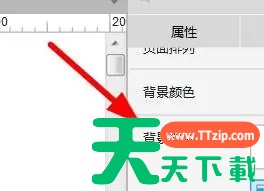
1、在axure rp软件中,我们可以设置页面的背景图片。
axure rp怎么设置背景?axure rp设置背景的技巧

2、打开背景设置,点击“导入”,根据个人需求导入图片文件。

axure rp怎么设置背景?axure rp设置背景的技巧

3、导入图片后,可以查看图片的基本显示效果。

axure rp怎么设置背景?axure rp设置背景的技巧

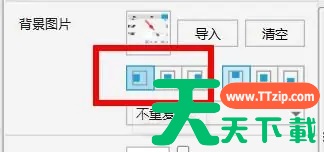
4、在设置界面中,可以调整图片的水平位置。

axure rp怎么设置背景?axure rp设置背景的技巧

5、同样可以对图片的垂直位置进行设置。

axure rp怎么设置背景?axure rp设置背景的技巧

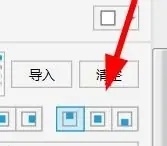
6、也可以设置图片是否重复。

axure rp怎么设置背景?axure rp设置背景的技巧

@天天下载TTzip

除特别注明外,本站所有文章均为 天天下载 原创,转载请注明出处来自 https://www.ttzip.com/195011.html
5人喜欢