天天绿软 更新快、资源全,发现更多优质资源,就上天天绿软!

source insight怎么搜索?source insight搜索的技巧

Tmd 更新时间: 2分钟前 分类: 其他教程 人气: (11) 0个评论

source insight是一款功能强大的代码编辑和分析工具,广泛应用于 C/C++、C#、Java 等编程语言的开发环境中。source insight搜索功能强大,支持多文件和项目的全文搜索、正则表达式搜索、符号搜索和引用搜索等,可快速定位代码段和符号定义,极大提升开发效率。source insight, source insight下载, source insight使用教程, source insight怎么搜索, source insight操作方法, 电脑教程, 编程工具
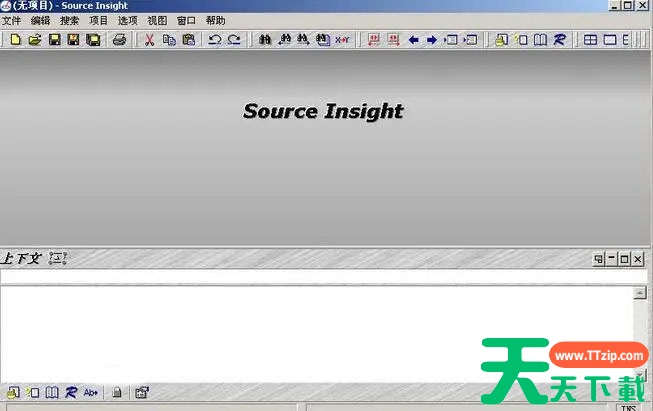
source insight怎么搜索?source insight搜索的方法

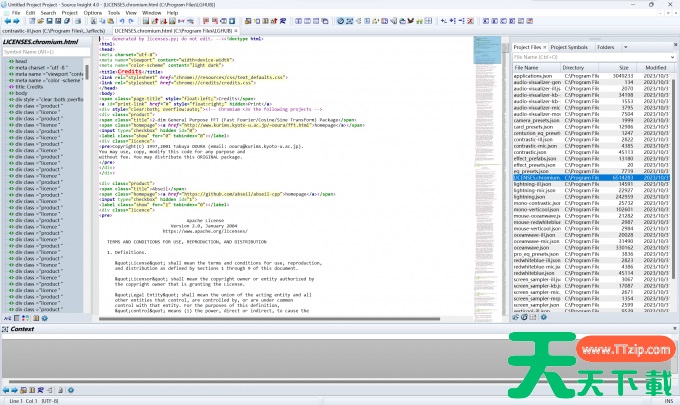
1、启动 source insight 软件,并将代码文件导入至该软件中。source insight, source insight下载, source insight使用教程, source insight怎么搜索, source insight操作方法, 电脑教程, 编程工具
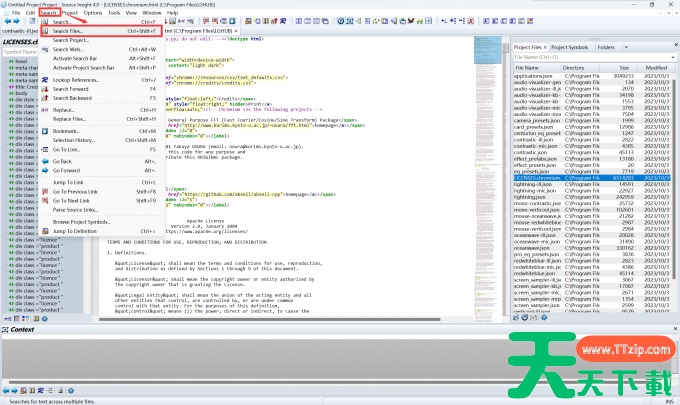
2、点击 source insight 菜单栏中的【Search】选项,在下拉菜单里选择【Search Files】选项。source insight, source insight下载, source insight使用教程, source insight怎么搜索, source insight操作方法, 电脑教程, 编程工具
3、在搜索框内设定搜索条件,例如文件类型、搜索范围等,准确填写代码文件信息以精准定位目标代码。source insight, source insight下载, source insight使用教程, source insight怎么搜索, source insight操作方法, 电脑教程, 编程工具
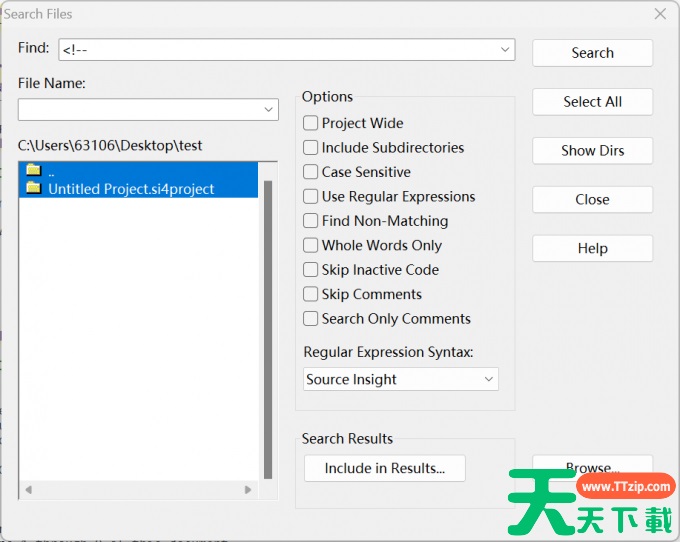
4、完成搜索选项设置后,点击【All】按钮还可以发起全局搜索。全局搜索启动后,source insight 会遍历整个代码项目,并在搜索结果窗口呈现匹配的代码片段。source insight, source insight下载, source insight使用教程, source insight怎么搜索, source insight操作方法, 电脑教程, 编程工具
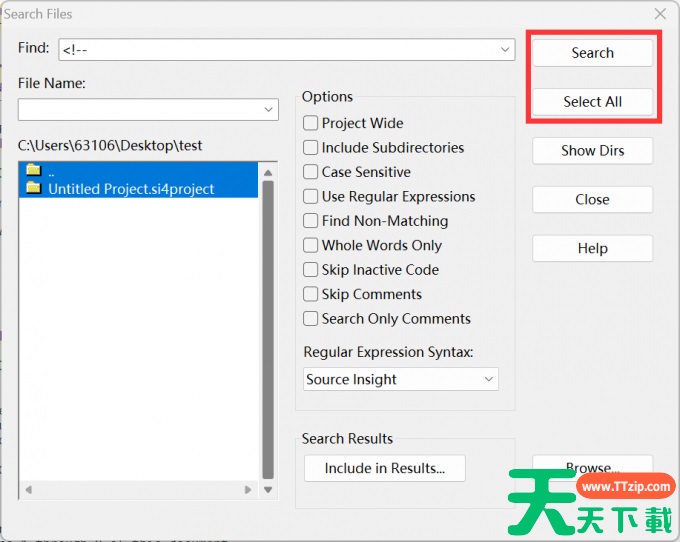
5、查看搜索结果,点击相应结果可直接跳转至源代码的对应位置。source insight, source insight下载, source insight使用教程, source insight怎么搜索, source insight操作方法, 电脑教程, 编程工具

source insight的搜索功能非常强大,它能快速定位代码片段,支持多种搜索方式,包括基本文本搜索、正则表达式搜索、符号搜索等,可精准查找变量、函数等元素。source insight全局搜索可在整个项目中查找代码,而局部搜索则能针对当前文件进行查找,极大地提升了开发效率。以上就是天天绿软软件站为各位朋友带来的source insight搜索的操作方法,希望这篇文章对各位朋友有所帮助。@天天绿软TTzip
除特别注明外,本站所有文章均为 天天绿软 原创,转载请注明原文链接: source insight怎么搜索?source insight搜索的技巧
7人